Asset Reports
Asset Listing
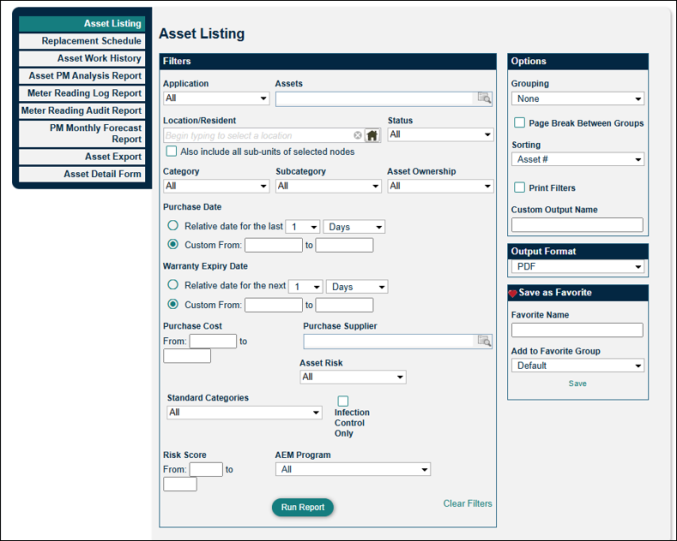
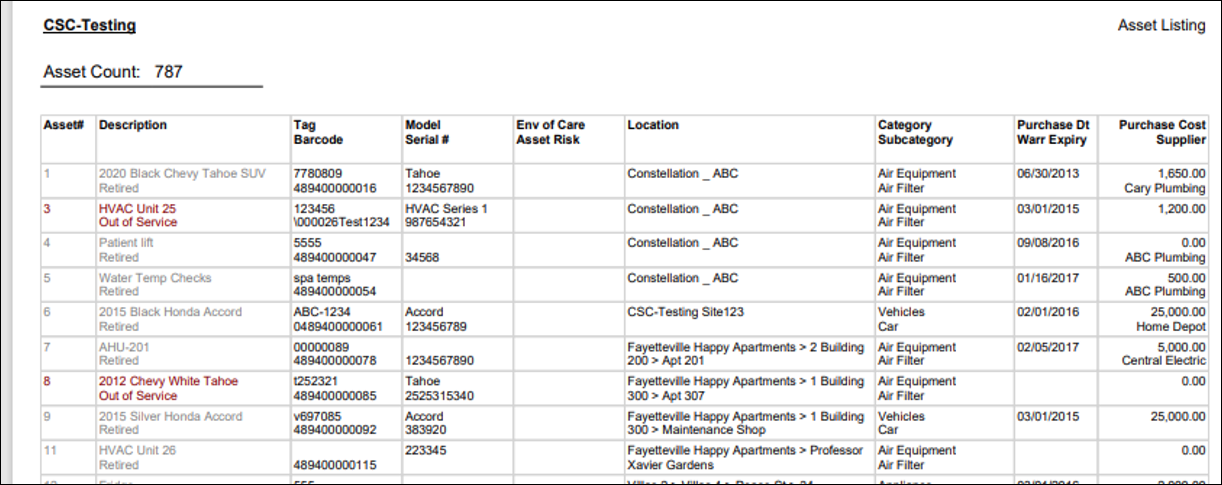
The Asset Listing report displays a list of your assets, which details such as: tag number, description, model number, location, category, purchase date, warranty expiry, supplier, and costs. This report is helpful when wanting to see all assets in your site or a specific subset of assets. For example, you can limit the report data to see all assets from one particular supplier, or all assets in a specific location.
Asset Replacement Schedule
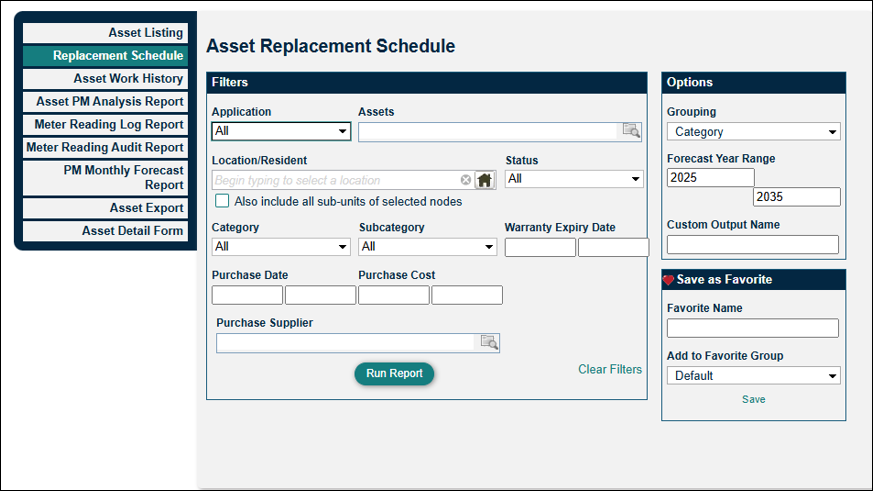
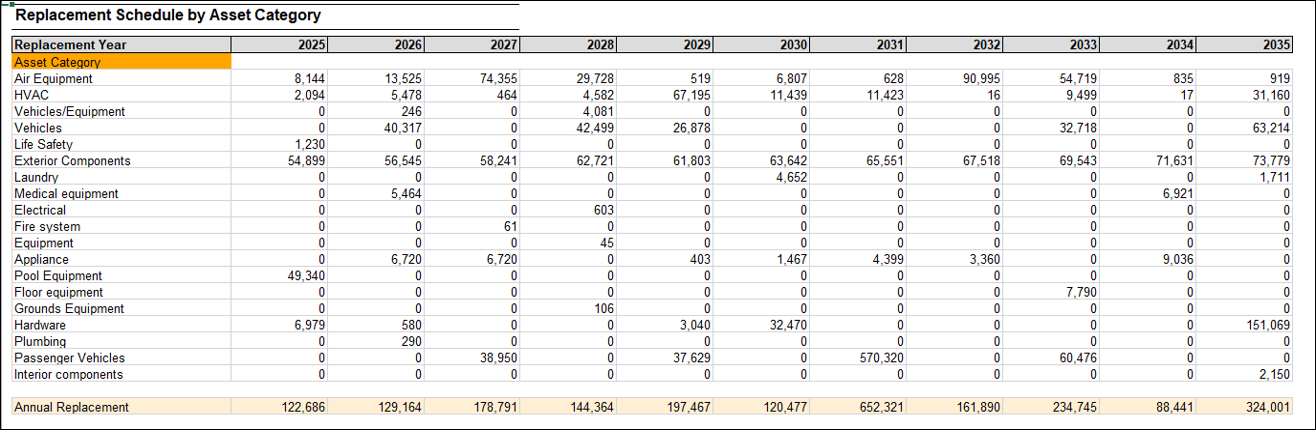
Use the Asset Replacement Schedule report to aid in capital planning. This report is only available with the Capital Planning module (or WorxIQ). It pulls data from the asset profile (Purchase Date, Purchase Cost, and Estimated Lifespan), along with assessments entered, to help you make decisions about asset repair and replacements.
Asset Work History
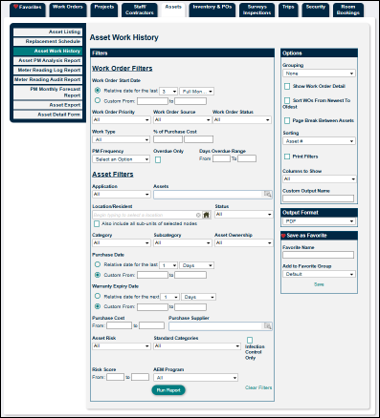
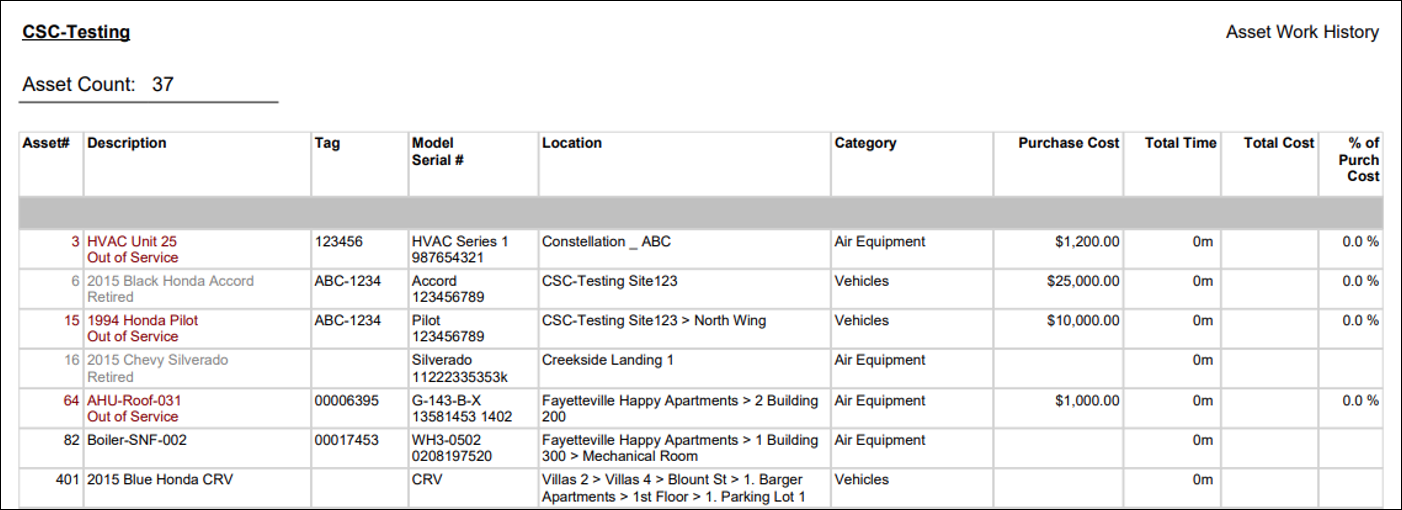
Asset Work History is our most popular asset report. By selecting "Show Work Order Detail" in the Options section, all associated work orders will display underneath the asset. This report is especially useful when gathering documentation on recent work history for assets and looking for trends in work order frequency for assets.
Asset PM Analysis Report
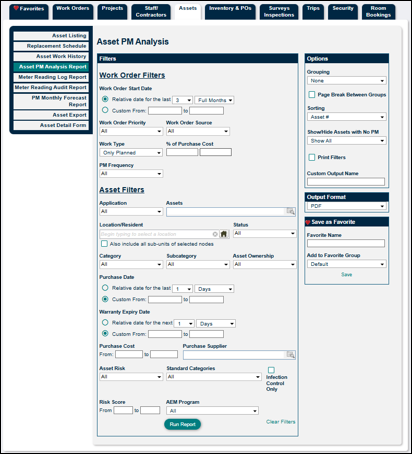
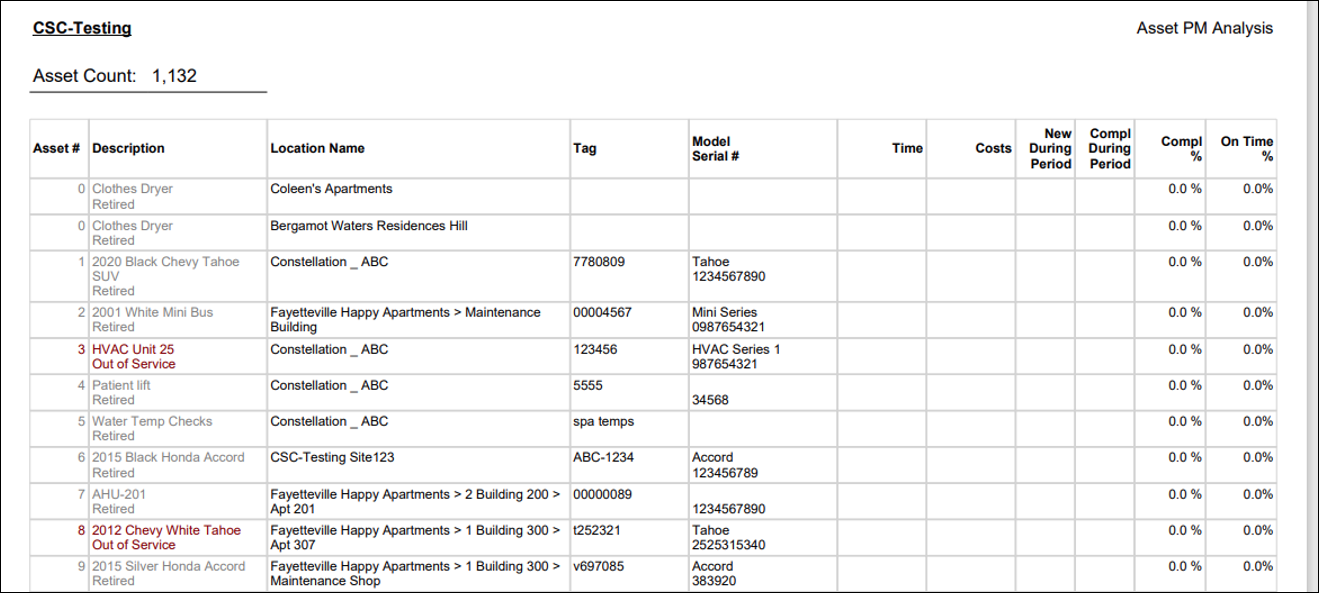
The Asset PM Analysis report gives you a high level view of the preventative maintenance performed on your assets within a given time frame. Use this report to show PM Completion %. This is particularly helpful for compliance purposes.
Meter Reading Log Report
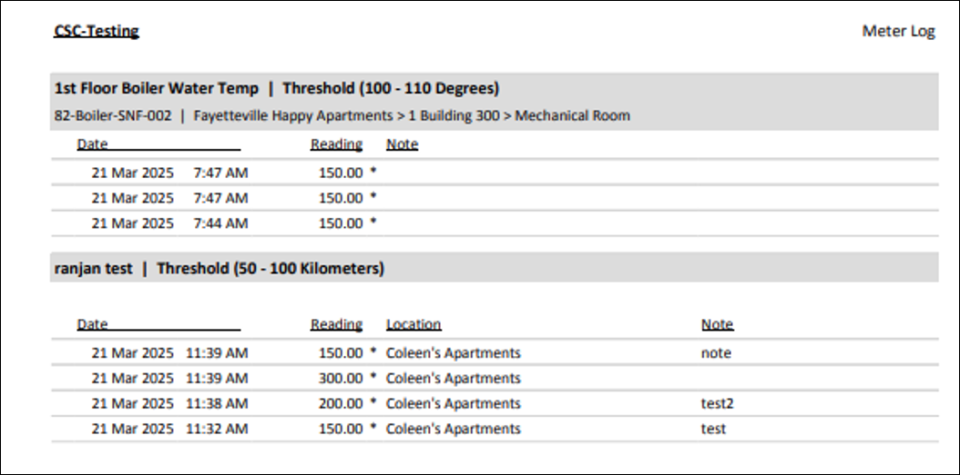
The Meter Reading Log Report pulls information from the meters you have set up in your site. When running the report, you will see the meter information such as the name, threshold, and location (if any). This report lists meter readings with their dates and times, as well as any notes that were documented.

Meter Reading Audit Report
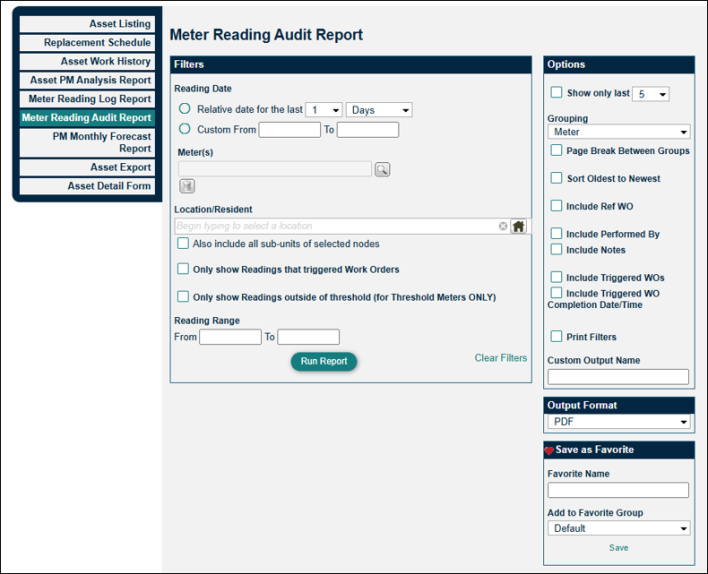
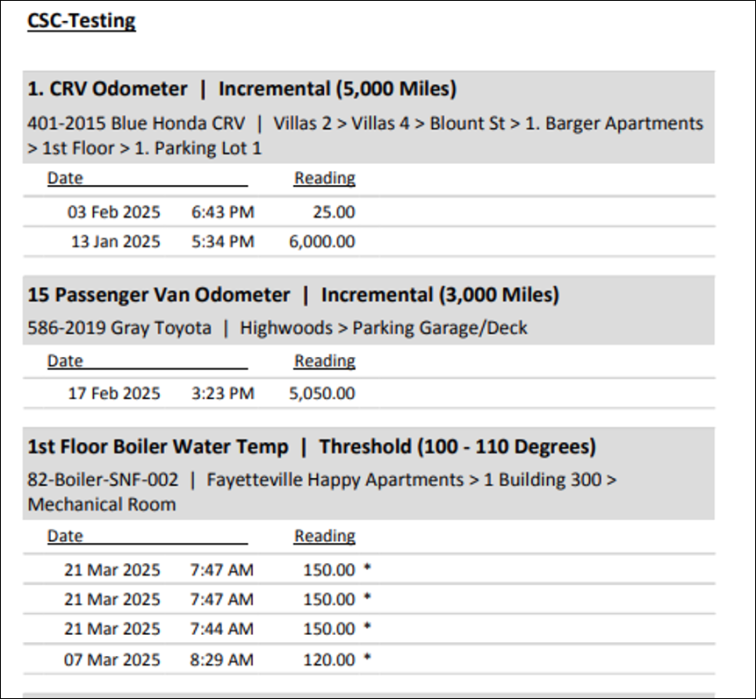
The Meter Reading Audit Report provides a list of meter readings that were entered over time. The report allows you the option to search only triggered work orders, only readings outside of the threshold, and gives you options for displaying the data.
PM Monthly Forecast Report
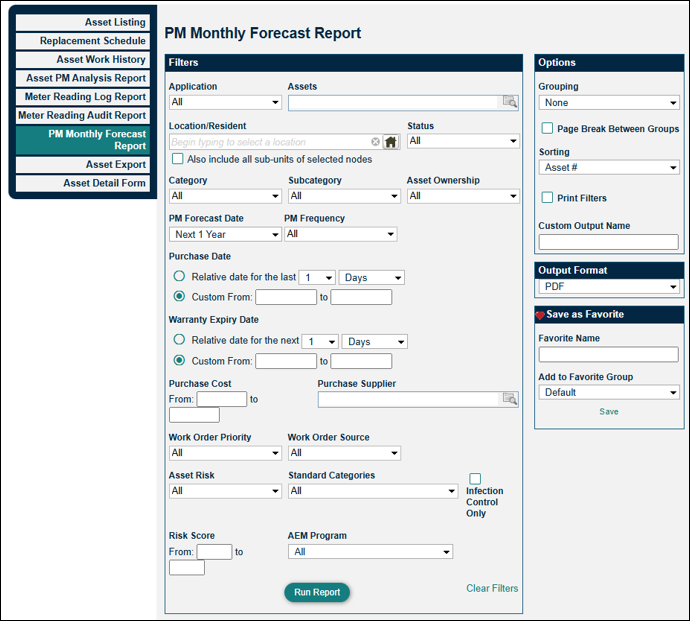
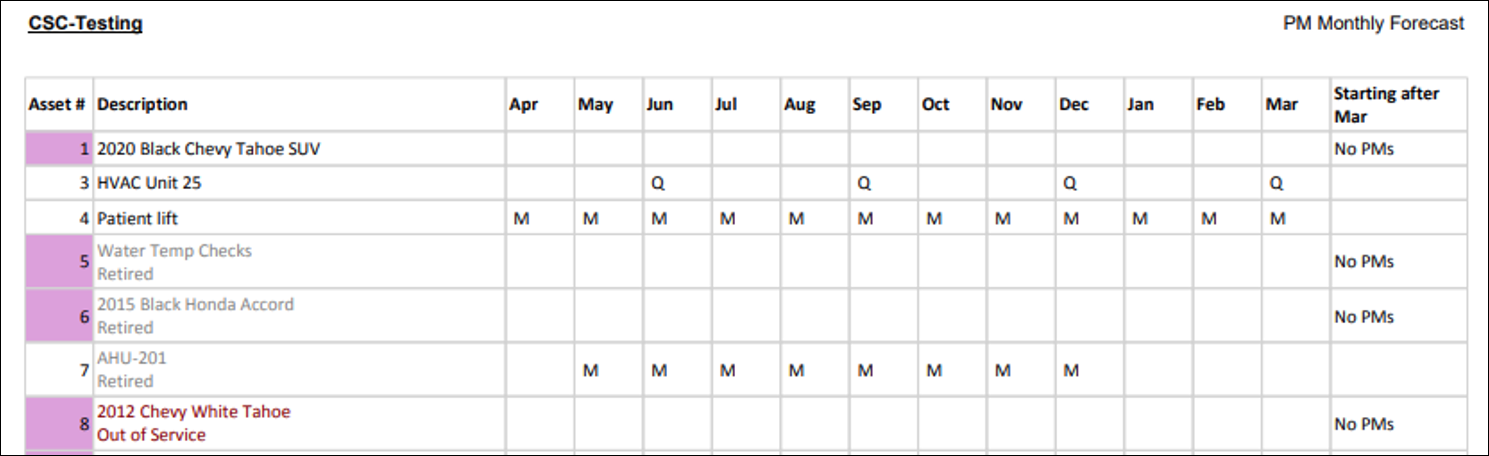
The PM Monthly Forecast report allows you to see a year's worth of upcoming PMs at a glance. Use this report to make sure all assets have the correct scheduled PM frequencies (annually, quarterly, monthly, daily), and to see which assets do not yet have any associated PM.
Asset Export
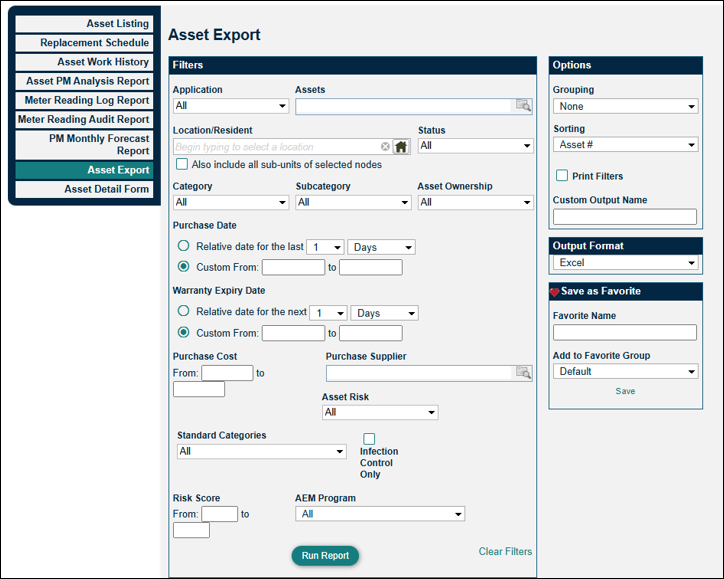
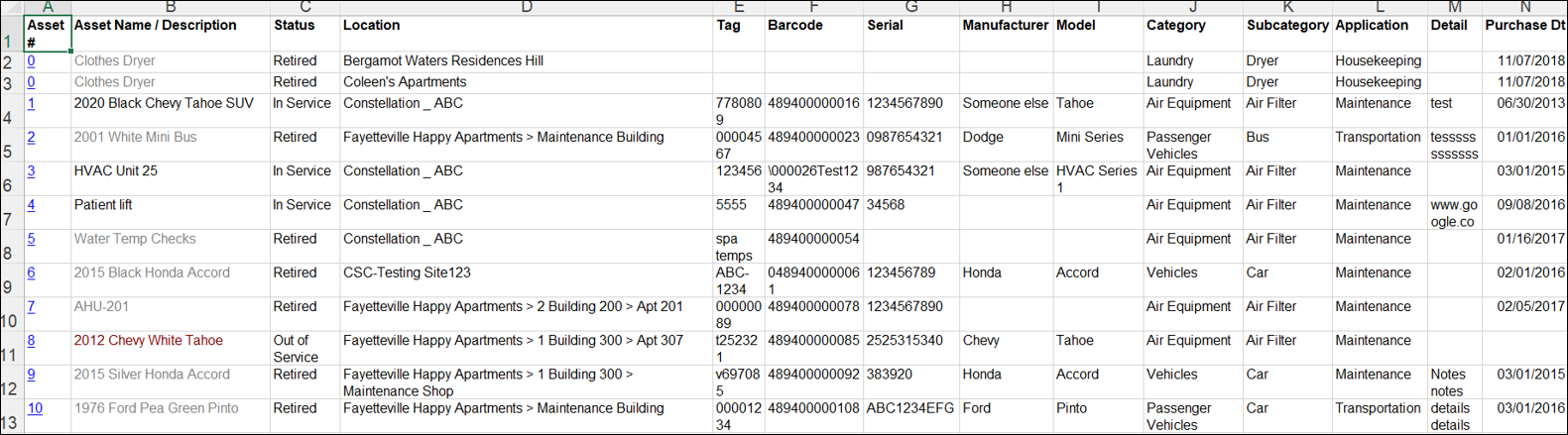
The Asset Export provides an Excel spreadsheet of the assets in your site. This detailed report can be filtered, depending on the data you want to collect.
Asset Detail Form
The Asset Detail Form report populates individual forms for assets. Essentially, it provides a printer-friendly version of what appears in the asset profile. The form displays the asset number, name/description, location, category, subcategory, status, departments, tag, model, VIN, make purchase supplier/date/costs, account/budget/cost center/charge codes, and barcode. You can also choose to show meter readings in the Option section.


